Turn any phone into a Unity controller.
No app, no SDK on the player’s side. Drop in a Unity package, paste a free API key, ship over a hosted relay — or skip cloud entirely and run over LAN for in-person events.
Install video lands in step 4.3 day 2. Until then, this poster + the quickstart cover it.
-
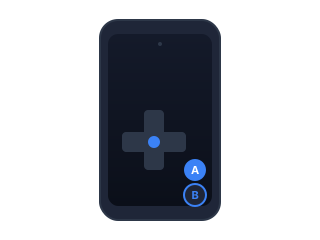
Phone-as-controller, no install
Players scan a QR code. The web controller opens in their browser. There is nothing to download, no App Store review, no OS-version churn — every phone is supported.
-
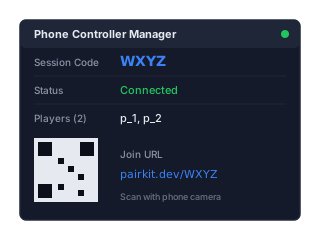
Drop-in Unity SDK
One MonoBehaviour is the entire mental model. Drag the prefab into your scene, pick a template, hit play. Twelve widget types compose into anything from a d-pad to a drawing canvas.
-
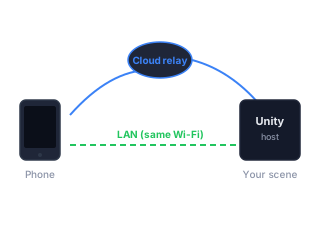
Cloud or LAN, your call
Default to the hosted relay for remote players — sign up at app.pairkit.dev, generate a free API key, paste it into the inspector. Switch to LAN mode for in-person events: Unity hosts the relay in-process, phones connect over Wi-Fi, no internet, no key, no cost.
This is all the code you write.
Move with the d-pad. The rest of the SDK looks like this.
using PairKit;
using UnityEngine;

public class MoveWithPhone : MonoBehaviour
{
    [SerializeField] private PhoneControllerManager manager;

    void Awake()
    {
        manager.OnInput += (player, evt) =>
        {
            if (evt.WidgetId == "dpad")
            {
                var dir = evt.GetVector2();
                transform.position += new Vector3(dir.x, 0, dir.y) * Time.deltaTime * 5f;
            }
        };
    }
}